

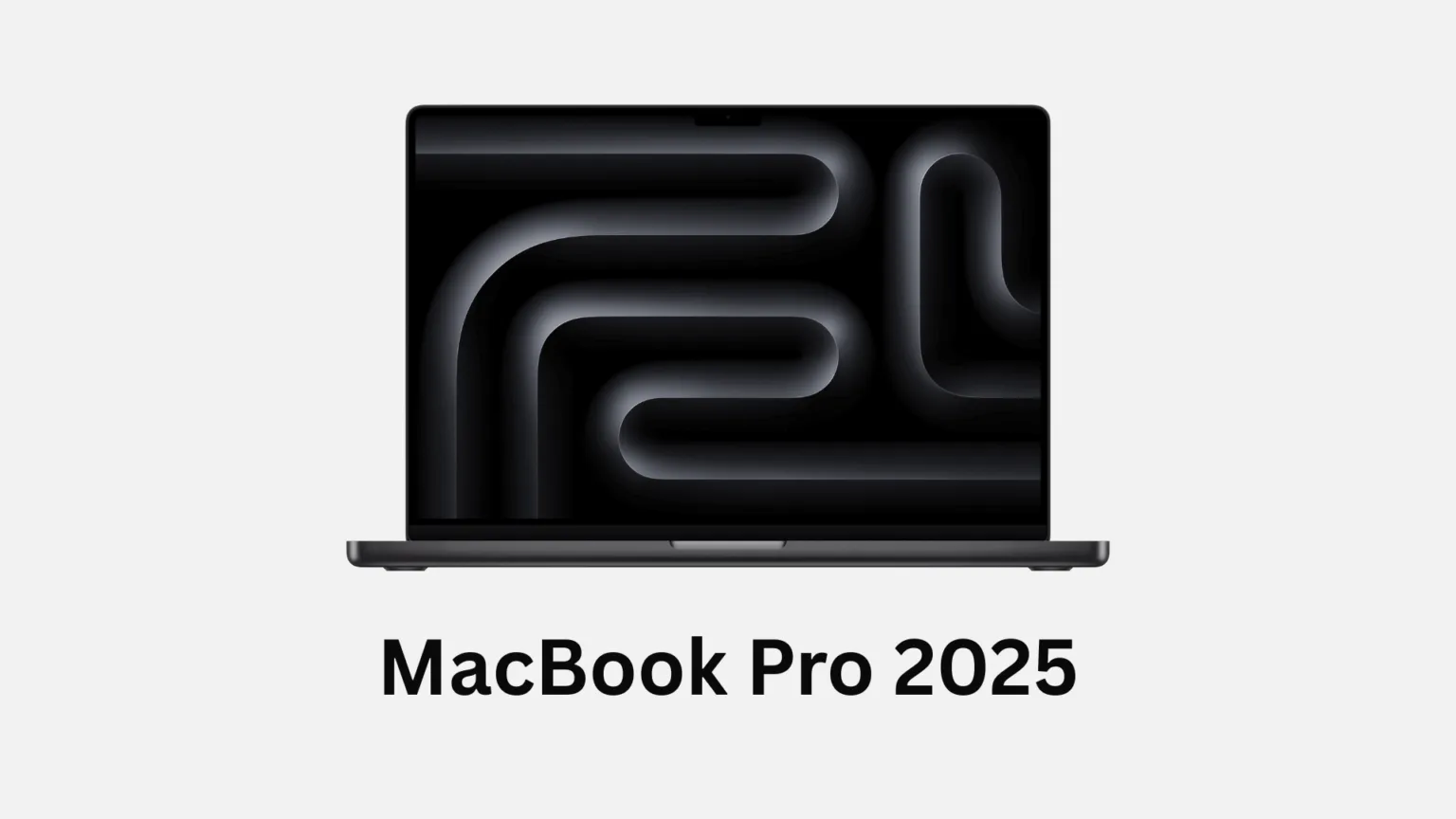

The Apple MacBook Pro 2025 with the M5 chip represents a significant milestone in laptop evolution. Announced in October 2025, this machine brings together raw computational power, stunning display technology, and all-day battery performance in a sleek aluminum chassis. For young professionals, creative workers, and ambitious students, the Apple MacBook Pro 2025 stands as one of the most capable laptops ever built.
This review will take you through every important aspect of the Apple MacBook Pro 2025: from the thrilling unboxing experience to real-world performance in creative work, gaming, and daily productivity. By the end, you’ll know exactly whether this premium laptop deserves a place in your workflow.
Release Date and Availability of Apple MacBook Pro 2025
The Apple MacBook Pro 2025 became available for pre-order on October 15, 2025, with deliveries starting on October 22, 2025. This timeline marks Apple’s consistent pattern of releasing MacBook Pro updates in October, continuing the tradition set by the M3 and M4 launches.


Globally, the Apple MacBook Pro 2025 is available in 30 countries and regions. In India, customers can order directly from Apple or through authorized resellers at competitive prices. The UK launch came simultaneously, reflecting Apple’s coordinated global strategy. In the United States, availability began immediately after the pre-order phase, ensuring quick access for eager buyers.
Currently, the 14-inch model with the M5 chip is available for purchase. However, the M5 Pro and M5 Max variants are expected to arrive in spring 2026, meaning the base M5 is the only new chip option right now. If you need maximum power today, the M4 Pro and M4 Max remain available for purchase.
Price of Apple MacBook Pro 2025 and Worth Factor
The base model Apple MacBook Pro 2025 starts at $1,599 USD, £1,599 in the UK, and ₹169,900 in India. This pricing remains identical to the M4 generation, delivering a significant value proposition: you’re getting better performance at the same price.


Configuration options quickly increase the cost. A mid-range setup with 24GB unified memory, 512GB storage, and nano-texture display can reach around $2,500. The high-end configuration with 36GB memory, 1TB storage, and the prized nano-texture screen touches $3,369. For students, Apple offers education discounts, bringing the entry price down to £1,499 and ₹159,900 in India.
The real question: is it worth your investment? For students and casual users, the base configuration offers excellent value. For creative professionals, the entry-level M5 delivers 4x better AI performance compared to the M4, making local image generation and video processing significantly faster. If you’re already using Final Cut Pro, Adobe Lightroom, or similar tools, the M5 justifies the cost through time savings alone. However, if you’re primarily browsing, writing, and watching videos, the Apple MacBook Pro 2025 might feel like overkill when a MacBook Air could suffice.



Design and Build Quality of Apple MacBook Pro 2025
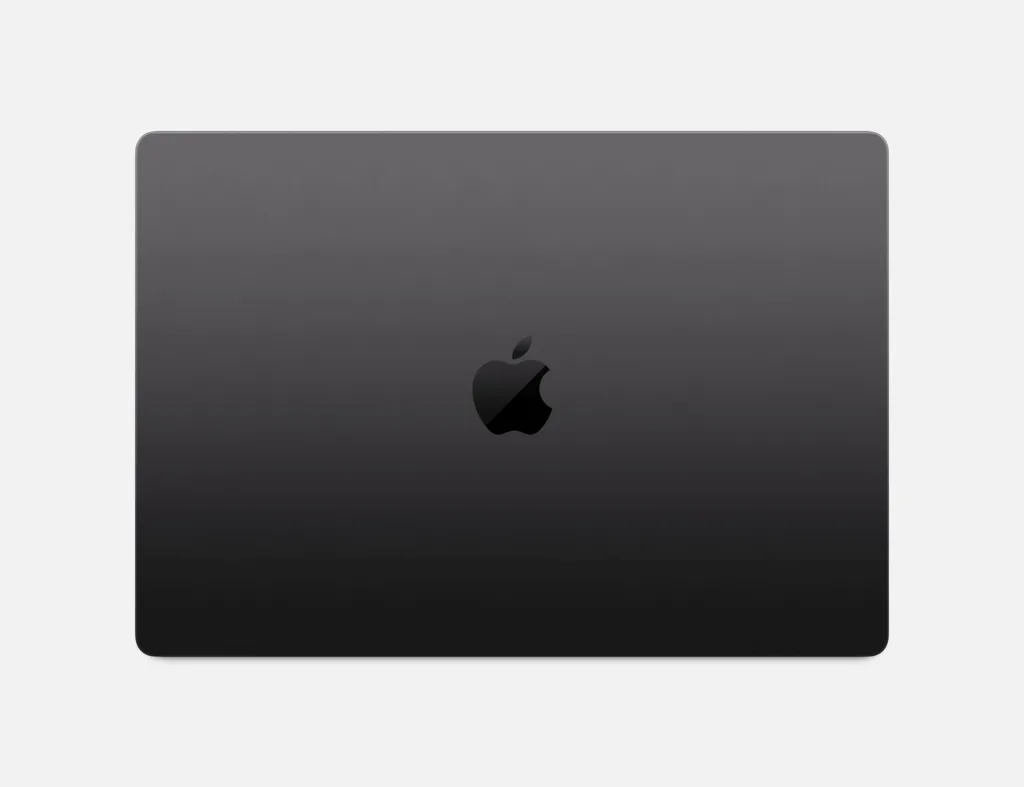
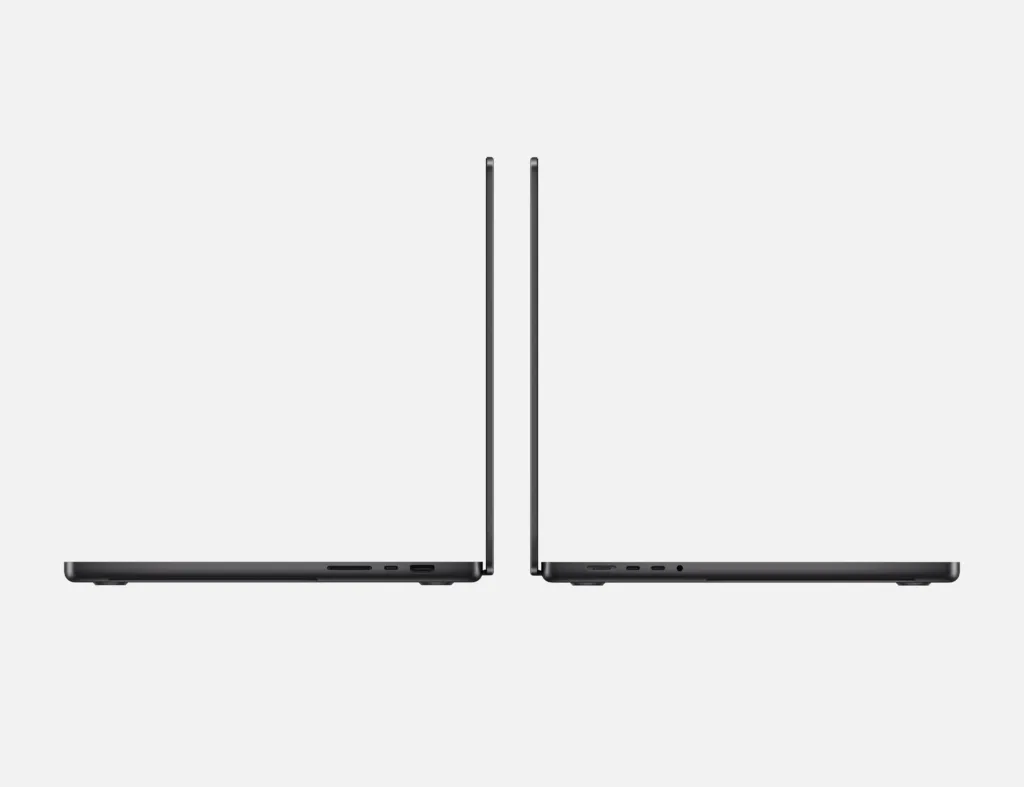
The aluminum chassis of the Apple MacBook Pro 2025 feels impossibly thin yet surprisingly sturdy. At just 1.55 kg (3.4 pounds), this laptop carries without fatigue. The space black and silver color options both look professional without screaming for attention. The hinge feels precision-engineered, opening smoothly with one hand.
The keyboard experience remains excellent. The Magic Keyboard uses Apple’s proven key mechanism with accurate feedback and quiet operation. Your fingers land naturally on each key, and the scissor mechanism beneath provides satisfying tactile response. However, if you’re coming from mechanical keyboards, the travel distance will feel shallow—but it’s a minor trade-off for the flatness and reliability.
The trackpad is where the Apple MacBook Pro 2025 truly excels. It’s massive, responsive, and uses haptic feedback instead of mechanical clicks. Gestures feel intuitive after a few hours of use—three-finger swiping between desktops, pinch-zooming, and multi-finger tapping all work flawlessly. It’s arguably the best trackpad on any production laptop.
The overall design aesthetic leans minimalist and professional. There’s no unnecessary flashiness, just purposeful engineering optimized for work. Young professionals who prioritize elegance over gaming aesthetics will appreciate this restraint.
Display Quality of Apple MacBook Pro 2025
The 14.2-inch Liquid Retina XDR display is the star of the show. With 3072 x 1920 pixel resolution, this screen delivers sharp text and buttery-smooth scrolling. The 120Hz refresh rate is a subtle but noticeable upgrade from standard 60Hz displays, making animations feel fluid and responsive.
Brightness is where this display truly impresses. Peak brightness reaches 1,600 nits in HDR mode and 1,000 nits in standard SDR. Step outside into bright sunlight, and the display remains visible and vibrant. This is crucial for creative professionals editing content that will be viewed on various displays. The color accuracy supports DCI-P3 color space with exceptional precision.
For creators, the Liquid Retina XDR display feels like looking through a professional reference monitor. Editing 4K video, retouching photographs, or color-grading clips all feel natural. The nano-texture option (available for an additional cost) reduces reflections further, making outdoor work even more practical. Content creators consistently highlight this as one of the best laptop displays available.
For everyday use, the display excels beyond creative work. Streaming content via Netflix or YouTube looks gorgeous. Gaming feels immersive with the high refresh rate and color accuracy. Reading emails and documents is effortless thanks to the sharp resolution. There’s a slight notch at the top (housing the 12MP camera), but most users adapt to it within hours.
Performance Review of Apple MacBook Pro 2025
The M5 chip represents Apple’s most ambitious processor yet. The 10-core CPU features four high-performance cores and six efficiency cores, enabling the laptop to tackle demanding work while maintaining battery efficiency. In real-world testing, single-core performance improves by approximately 13% over the M4, while multi-core gains reach around 18.5%.
GPU performance is where the M5 shines. The new 10-core GPU with dedicated Neural Accelerators delivers 31% better graphics performance compared to M4 in Geekbench 6 testing. For demanding tasks like video editing in Final Cut Pro or complex 3D rendering, the improvement is immediately noticeable. Gaming performance improved by roughly 35-46% in various benchmarks, enough to handle demanding titles like Cyberpunk 2077 at decent settings.
In practical workflows, the Apple MacBook Pro 2025 handles professional video editing without breaking a sweat. Importing RAW image files is 16% faster compared to M4, while exporting JPEGs improves by 27%. Large Lightroom batch processing and advanced Photoshop operations with smart objects complete noticeably quicker. For developers, the M5 compiles code, runs local LLMs (Large Language Models), and processes large datasets with remarkable efficiency.
The true star feature is the enhanced 16-core Neural Engine with Neural Accelerators in every GPU core. This enables AI workloads to run up to 4x faster than M4. If you use generative AI tools like Stable Diffusion locally on your laptop, the performance leap is transformative.
The only caveat: sustained heavy rendering can cause the MacBook to run warm, and you might hear the fans engaging after 15-20 minutes of continuous rendering. However, the thermals remain well-managed, and the device never feels dangerously hot.
Storage and Upgradability in Apple MacBook Pro 2025
The Apple MacBook Pro 2025 offers SSD configurations of 512GB, 1TB, 2TB, and 4TB. This time, Apple doubled the storage speed—a substantial upgrade for professionals working with massive video files or datasets. Data transfer speeds now support faster workflows, reducing the time spent waiting for imports and exports.
Here’s the critical part: internal upgrades are not possible. You cannot swap the RAM or storage after purchase. This means your configuration decision at checkout is permanent. Buy the base 512GB model, and you’re stuck with 512GB. Therefore, configuration planning is essential. For creative work, a minimum of 1TB is recommended; 2TB becomes more comfortable if you’re juggling multiple large projects simultaneously.
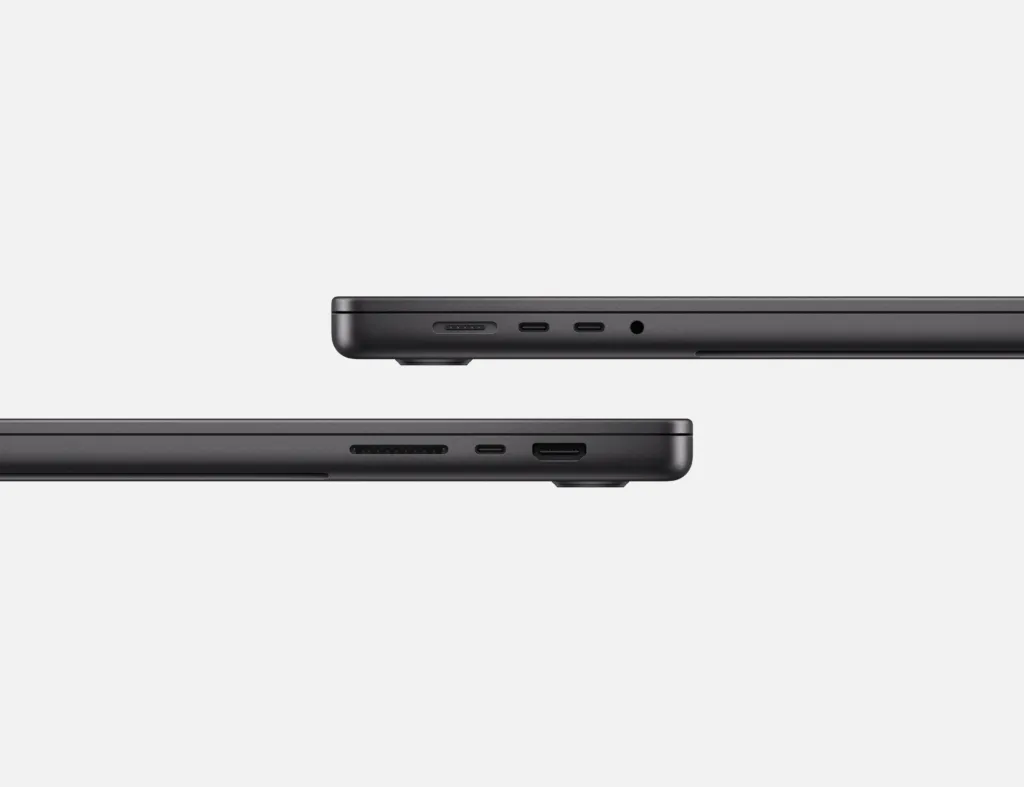
External expansion options partially offset this limitation. The three Thunderbolt 4 ports support blazing-fast external SSDs. The SD card slot welcomes UHS-II card readers at respectable speeds. For photographers importing RAW images directly, this is invaluable.
For most users, the base 512GB storage suffices for operating system, applications, and recent project files. Creative professionals should invest in the 1TB or 2TB options. Students working on smaller-scale projects can comfortably use the base configuration, supplemented by cloud backup via iCloud or external drives.
Battery Life of Apple MacBook Pro 2025
Apple claims the MacBook Pro 2025 delivers up to 24 hours of battery life during video playback. This marketing figure, while impressive, doesn’t reflect real-world usage. In actual mixed-use scenarios—web browsing, document editing, video streaming, and occasional CPU-intensive tasks—expect 13-16 hours on a single charge.
During continuous video editing or gaming, battery life drops to 5-8 hours. This is expected behavior for any laptop under sustained GPU load. However, for lighter productivity work, you’ll easily push past a full workday without seeking a power outlet. For students attending lectures and reviewing notes, 16-hour battery life means you can work through a day of classes plus evening study sessions.
The 72.4-watt-hour lithium-polymer battery charges via USB-C using the included 70W power adapter. With higher-wattage adapters (96W or above), charging accelerates noticeably. A 30-minute fast-charge brings the battery from empty to approximately 50%, enabling quick top-ups between work sessions.
For frequent travelers, the Apple MacBook Pro 2025 is a dream. The combination of real-world 13-16 hour battery life and lightweight design (1.55 kg) means you can genuinely leave your power adapter behind for day trips or use it as a backup rather than a necessity.
Features and Software in Apple MacBook Pro 2025
The Apple MacBook Pro 2025 runs macOS Tahoe, Apple’s latest operating system built specifically to leverage the M5 chip’s capabilities. macOS Tahoe introduces refined Apple Intelligence features, enabling on-device processing of AI tasks without relying on cloud servers. Writing assistance, image generation with Draw Things, and local large language model inference all happen directly on the device.
Connectivity includes three Thunderbolt 4 ports for expansive external storage and display support, one HDMI 2.1 port for direct projector or external monitor connection, and an SD card slot—a professional-grade feature. The headphone jack is noticeably absent, but the Bluetooth 5.3 support enables seamless connection to AirPods, external speakers, and headphones.
The thermal management system keeps things remarkably quiet. Under light loads, the laptop operates silently. During sustained heavy rendering, the fans engage, producing a gentle humming—nothing disruptive. Apple’s engineering ensures optimal balance between performance and silence.
The 12-megapixel Center Stage camera handles video calls gracefully. The Center Stage feature automatically keeps you framed in the center of the video while you move. The 3-microphone array with directional beamforming captures your voice clearly while minimizing background noise. For remote workers and students attending virtual classes, this is a substantial improvement over previous generations.
The six-speaker sound system supports spatial audio and Dolby Atmos when playing compatible content. Audio quality is surprisingly good for a laptop, though dedicated external speakers will always sound better. For casual music listening and video playback, the speakers are more than adequate.
Gaming and Multimedia Experience of Apple MacBook Pro 2025
Gaming performance improved dramatically with the M5. The new GPU architecture with third-generation ray tracing enables smoother gameplay at higher settings. Shadow of the Tomb Raider runs at approximately 56fps on maximum settings at 1080p resolution. Fortnite, FIFA, and other popular titles play smoothly.
However, gaming on macOS carries limitations. Many AAA titles don’t have native macOS versions, requiring you to use gaming services like PlayStation Now or cloud gaming platforms, or install Windows via Parallels Desktop for native game support. Indie games, strategy titles, and competitive esports games have better macOS support.
For multimedia consumption, the Apple MacBook Pro 2025 excels. The Liquid Retina XDR display transforms Netflix and YouTube into immersive experiences. The spatial audio support means videos with Dolby Atmos soundtracks sound theatrical. Whether you’re watching a film during a flight or streaming a concert, the experience feels premium.
Creative applications are where this laptop truly shines. Final Cut Pro handles 4K timeline work effortlessly. Adobe Lightroom processes hundreds of RAW images rapidly. DaVinci Resolve color grading sessions maintain smooth playback even with complex effects. The M5’s GPU and neural accelerators make professional content creation genuinely enjoyable rather than a frustrating exercise in waiting for renders.
Final Thought on Apple MacBook Pro 2025
The Apple MacBook Pro 2025 represents the mature evolution of Apple’s silicon strategy. This isn’t a revolutionary reimagining but rather a thoughtful refinement—faster GPU, quicker storage, and revolutionary AI capabilities all at the same price point as last year’s model. The experience feels premium without pretension.
Who should buy it? Video creators, photographers, designers, and developers working with resource-intensive applications will find tremendous value. Students pursuing creative fields or computer science will benefit from the long battery life and professional-grade tools. Young professionals who spend long hours working on the go appreciate the portability and power combination.
Who should skip it? If you’re primarily browsing the web, writing documents, and streaming content, a MacBook Air offers 90% of the experience at a lower price. If you need gaming performance, Windows laptops with dedicated graphics offer better options. If budget is the primary concern, previous generation MacBooks or alternative brands provide solid alternatives.
The Apple MacBook Pro 2025 is expensive, but it delivers on its premium positioning. The craftsmanship, display quality, performance, and battery life combine into a laptop that feels like an investment rather than a purchase. For the right person, it’s genuinely transformative.
For a detailed gaming laptop comparison, checkout this gaming PC that explores alternative high-performance options for those prioritizing gaming capabilities.
To explore all available configurations and order directly, checkout the official Apple MacBook Pro page for the most current pricing and specifications in your region.


